 Vyriy
VyriyOn this page
Vyriy Create: SSG and MCP presets
How @vyriy/create can start static documentation and MCP server projects with calm workspace structure, visible commands, and public media assets.
@vyriy/create is the project generator for Vyriy workspaces.
It is intentionally small. The generator should give a project a clear starting shape, then get out of the way.
For documentation and AI-agent tooling, the useful starting points are the ssg
and mcp presets:
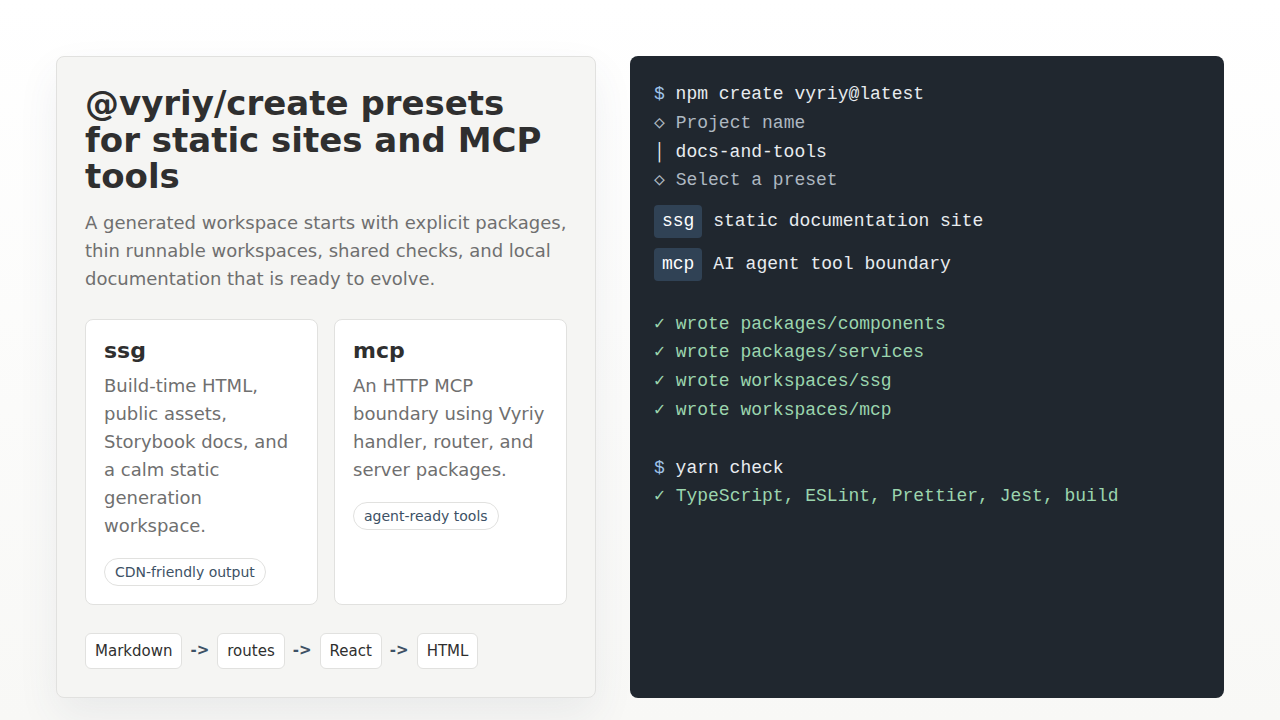
ssgcreates a Markdown-first static generation workspace for build-time HTML.mcpcreates an MCP server workspace that can expose package knowledge and tools to AI agents, starting with ahello_worldtool.
The preview below is an illustrated walkthrough of that project shape. The generated project details are documented in the dedicated SSG and MCP preset pages.
Create a project
Run the create command:
npm create vyriy@latest
Then choose the preset that matches the project boundary.
Use ssg when the public artifact should be static HTML:
Markdown content
  -> @vyriy/ssg
  -> static HTML
  -> copied public assets
Use mcp when the project should expose tools over a normal Vyriy server:
MCP request
  -> Vyriy router
  -> handler
  -> hello_world tool
  -> JSON-RPC response
Why these presets belong together
Static documentation and MCP tools solve different problems, but they share the same project instincts.
Both should be easy to inspect.
Both should keep packages small.
Both should make the runtime boundary visible.
The ssg preset makes the site output explicit: Markdown content comes in,
@vyriy/ssg builds the pages, and the build writes files that can be copied to
a CDN.
The mcp preset makes the tool boundary explicit: a request reaches the server,
the router selects the MCP endpoint, and the generated tool contract provides
the useful behavior.
That symmetry is useful for a package ecosystem. A human can read the static docs. An AI agent can call the MCP tools. Both surfaces describe the same project in a small, testable way.
Expected workspace shape
A generated SSG project keeps implementation in packages and leaves the runnable workspace thin:
packages/
  components/   Site stylesheet and style documentation.
site/
  home/         Home page Markdown.
  docs/         Documentation entries.
  blog/         Blog entries.
  examples/     Example entries.
  public/       Static assets copied into dist.
workspaces/
  ssg/          Thin build workspace around @vyriy/ssg.
A generated MCP project starts with one runtime workspace:
workspaces/
  mcp/
    index.ts   Server entry point.
    mcp.ts     MCP server and hello_world tool registration.
    server.ts  HTTP handler, router, and transport wiring.
    types.ts   Small MCP tool contracts.
The exact package set can evolve as the preset grows, but the boundary should stay boring: content and reusable contracts stay visible, executable wiring stays thin.
Useful next steps
After generation, install dependencies and run the project checks:
yarn install
yarn check
For an SSG project, build the static output:
yarn build:ssg
For an MCP project, start the HTTP server and call the MCP endpoint from an agent-capable client:
yarn start:mcp
Related examples
- Vyriy Preset - SSG shows the static site generation preset in more detail.
- Vyriy Preset - MCP shows the MCP server preset in more detail.
- Vyriy MCP: calm interface between packages and AI agents shows the HTTP MCP boundary and tool registration flow.
- From Static Sites to MCP: The Vyriy Server Family
explains how
@vyriy/server,@vyriy/handler,@vyriy/router, and@vyriy/staticcompose across static and server use cases.